WallpaperRotator: Change Your macOS Wallpaper Automatically
I change my wallpaper constantly. New day, new mood, new desktop look. The problem is I burn way too much time hopping from site to site hunting for something good.
Then I stumbled across Jalexsan’s wallpaper repo. The collection is great - clean, curated, exactly my taste. But downloading everything was going to eat my Mac’s storage alive.
So I built a tiny wallpaper rotator instead.
What It Does
The app pulls a single wallpaper from Jalexsan’s repo, sets it as your desktop background, and repeats every hour. It saves exactly one file at a time to a folder called GitHubWallpaper in your Pictures directory - no clutter, no storage bloat.
GitHub’s CDN can be fussy. Sometimes it blocks the request thinking it’s spam, and the rate limits get in the way too. When that happens, the script falls back to Peapix’s Spotlight API, which has no request limit and a solid collection of Bing wallpapers.
The whole thing runs on AppleScript inside a macOS Automator app - no dependencies, no terminal windows, just a background process that keeps your desktop fresh.
How to Install
Since this is an Automator app, you need a few extra steps to get the background scheduling right. Nothing sketchy here.
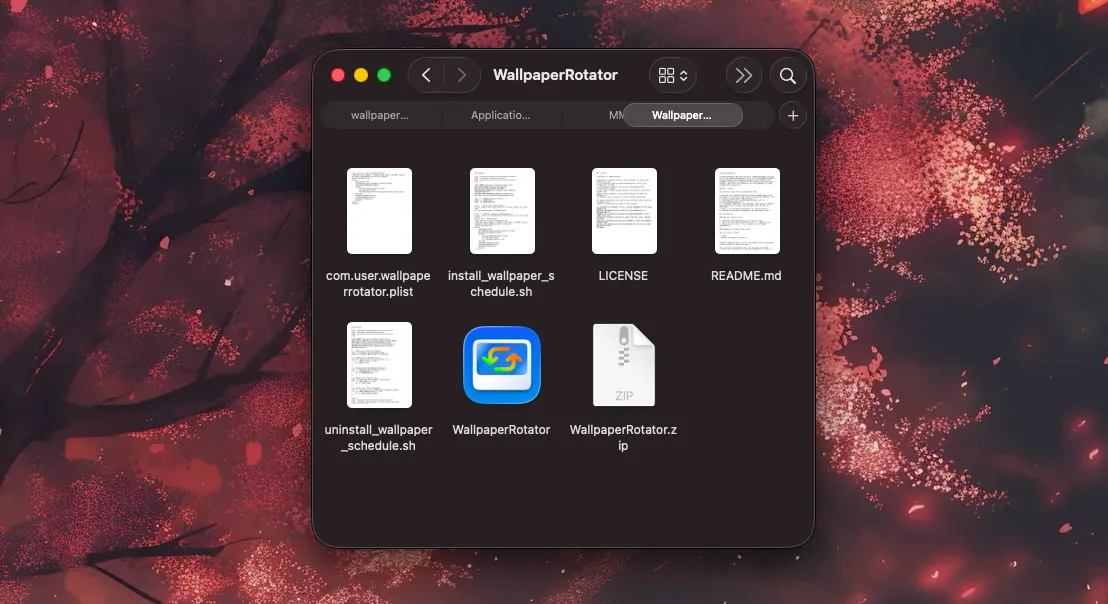
- Clone or download the files from the WallpaperRotator repository
- Unzip
WallpaperRotatorand move it to your Applications folder - Open Terminal, drag
install_wallpaper_schedule.shinto it, and press enter. This copies aplistfile to your home library and kicks off a background service that fires every 60 minutes - To verify: open System Settings > Privacy & Security > Automation. You should see WallpaperRotator > System Events listed there
How to Uninstall
Drag uninstall_wallpaper_schedule.sh into Terminal and press enter. It cleans up everything.