




 EMOJIMU
Browse, search, copy and export every to PNGs.
Native macOS app. No subscriptions.
No tracking.
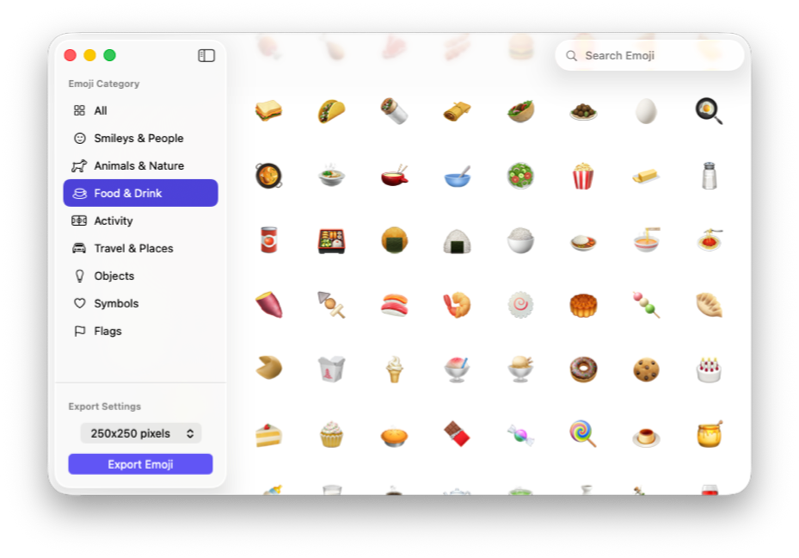
Requires macOS 13.0+ Ventura or latest. Support Apple Silicon or Intel.
Copy an emoji as a PNG image directly to your clipboard. Paste into Figma, Keynote, or any design tool.
Fuzzy search across Apple's emoji by name. Type a few letters and find what you need in milliseconds.
Full keyboard navigation → ⌘C to copy, ⌘E to export, ⇧⌘C to copy as PNG.
Browse by category: Smileys, Animals, Food, Travel, Objects, Symbols, Flags. All dynamically loaded.
Right-click any emoji to copy the character, copy as PNG, or export to a file. Fast and intuitive.
Export any emoji as a PNG up to 250×250 pixels. Perfect for presentations, designs, and social media.
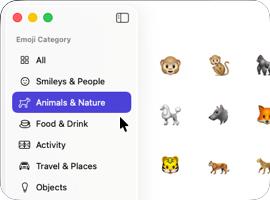
Type a name or scroll through categories. The grid updates instantly.

Click any emoji to select it. Hover for a tooltip with the full name.
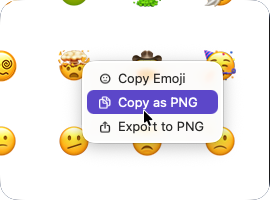
Copy the character, copy as PNG, or export to a file at your chosen resolution.